Elevate Your Projects with Decorative Ornaments and Swirls
In the world of digital design, the smallest details often carry the most weight. A single flourish, a delicate border, or a whimsical swirl can transform a flat, lifeless layout into something that feels curated and complete. If you are a designer, entrepreneur, or content creator, you understand the constant hunt for assets that are not only visually stunning but also versatile enough to handle multiple workflows. This is where the collection of Decorative Ornaments and hand-drawn swirl ornaments truly shines. It is not just a set of shapes; it is a toolkit designed to bring personality and elegance to your creative work without the hassle of starting from scratch.
The Anatomy of a Versatile Design Asset
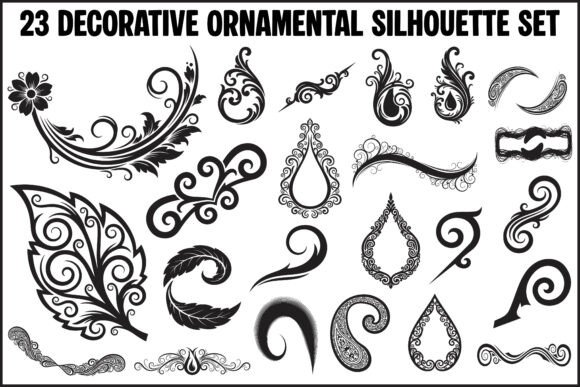
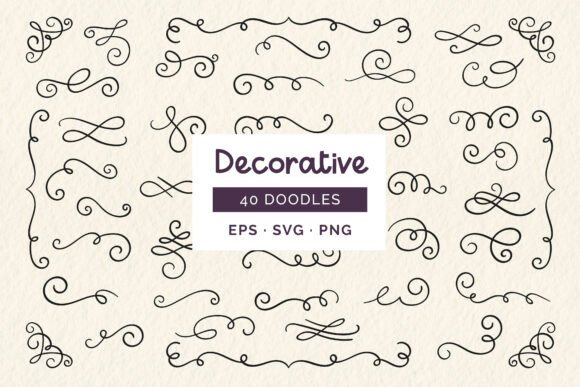
When evaluating design assets, the quality of the source file is just as important as the visual itself. A beautiful illustration loses its value if it is pixelated when scaled or trapped inside a format that your software cannot edit. This particular collection addresses those pain points immediately. By offering a comprehensive package that includes a master vector EPS file, 40 high-resolution PNGs, and 40 individual SVGs, the kit ensures maximum flexibility. You have the ability to use these ornaments in high-end print projects where resolution is critical, as well as in web environments where SVG scalability ensures crisp lines on any screen size.
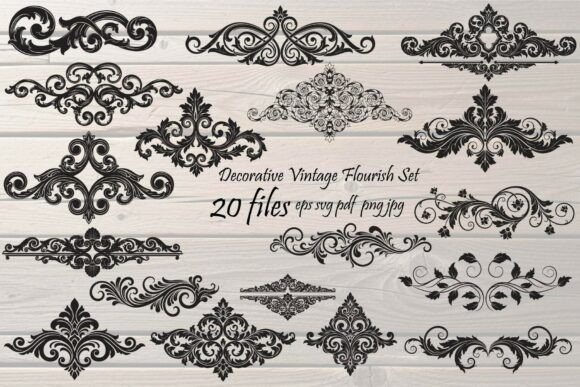
The visual style of these ornaments leans heavily into the "cute" and "hand-drawn" aesthetic. We are talking about single-line artistry—think of the kind of organic, flowing lines you might see in a modern calligraphy workshop. These are not rigid, geometric corporate shapes. Instead, they possess a warmth and humanity that sterile vector graphics often lack. This personality makes them incredibly effective for projects that need to establish a connection with the audience. Whether you are designing a wedding invitation, a boutique product label, or a header image for a lifestyle blog, the transparent backgrounds and isolated nature of these files allow them to blend seamlessly into any color palette or layout structure.
Practical Applications for Modern Creators
How do you actually use these assets in a way that adds value rather than clutter? The key is understanding context. For brand identity and logo design, these swirls can act as secondary elements. Imagine a logo lockup where the main wordmark is a clean sans serif font. Adding a subtle, hand-drawn ornament underneath or around the text can soften the corporate feel and make the brand appear more approachable and artisanal. This is particularly useful for small businesses in the wellness, beauty, or food industries.
In editorial design and packaging design, these ornaments serve as excellent dividers and corner accents. If you are laying out a menu, a brochure, or a magazine spread, a single decorative swirl can guide the reader’s eye and break up blocks of text without taking up too much real estate. Because the files are provided individually, you can mix and match them to create unique compositions. You might pair a flourish at the top of a page with a different one at the bottom to create visual symmetry.
For digital marketing and social media graphics, the high-resolution PNGs are a lifesaver. Creating Instagram stories, Facebook headers, or Pinterest pins often requires speed. Dragging a pre-made ornament onto your canvas in a tool like Canva or Photoshop allows you to add a layer of sophistication to your posts instantly. They work beautifully as overlays on photography or as framing devices for quotes and announcements.
Integrating Ornaments with Typography
One of the most common challenges in using decorative elements is ensuring they do not fight with your text. Visual hierarchy is paramount. If you are using a bold display font or a heavy serif font, you should pair it with a more delicate ornament. Conversely, if your typography is light and airy, a thicker swirl might provide a necessary anchor.
Consider the pairing of these ornaments with a script font or handwritten font. While they share a similar "hand-made" vibe, you must be careful not to make the layout look too chaotic. A good rule of thumb is to use the ornaments to frame the text rather than intertwining with it. Let the typography breathe. The goal is to enhance readability, not hinder it. By using these elements to create "white space" or visual breaks, you actually make the main content easier to digest.
Licensing and Workflow Efficiency
Before integrating any asset into a commercial project, understanding the licensing is non-negotiable. For entrepreneurs and freelancers, ensuring that your design assets are cleared for commercial use protects your business and your clients. This collection is structured to support professional workflows, offering vector scalability that ensures your prints look sharp at any size, from a business card to a billboard.
When you download the package, take a moment to organize the files. With 40 individual items, it is easy to lose track. Create a folder structure that separates your SVGs from your PNGs. If you are working in Adobe Illustrator or Affinity Designer, the SVGs will be your go-to for editing colors and stroke weights. If you are working in raster-based software like Photoshop, the high-res PNGs with transparent backgrounds will allow for immediate use.
Ultimately, the value of these decorative ornaments